Issue a test ticket
Complete a registration for your test event. Verify the order status and open the issued ticket.
 evenda.
可用语言版本
РусскийEnglishSrpskiDeutschTürkçeქართულიEspañolहिन्दीবাংলাPortuguêsTiếng ViệtFrançaisItaliano한국어العربيةBahasa Indonesia日本語中文አማርኛ (Amarəñña)অসমীয়া (Ôxômiya)Azərbaycan diliБългарски (Bǎlgarski)ČeštinaΕλληνικά (Elliniká)Eesti keelفارسی (Fārsī)Fulfuldeગુજરાતી (Gujarātī)HausaMagyarIgboBasa Jawaಕನ್ನಡ (Kannaḍa)Latviešu valodaMalagasyBahasa Melayuമലയാളം (Malayāḷam)मराठी (Marāṭhī)မြန်မာဘာသာ (Myanma Bhasa)नेपाली (Nepālī)NederlandsAfaan Oromooଓଡ଼ିଆ (Oṛiā)پښتو (Paṣ̌to)PolskiRomânăسنڌي (Sindhī)සිංහල (Siṁhala)SlovenčinaChiShonaBasa Sundaதமிழ் (Tamiḻ)Wikang Tagalogతెలుగు (Telugu)ภาษาไทย (Phasa Thai)اردو (Urdū)Oʻzbek tiliYorùbáVahcuenghHrvatskiDanishFinnishSwedishFeatured guides
A QR image alone is not an admission system. Connect each ticket to an event and check how the scanner handles it before guests arrive.
Evenda——软件提供商与技术伙伴。出票方与收款方由贵公司担任;买家的资金不经过该平台。
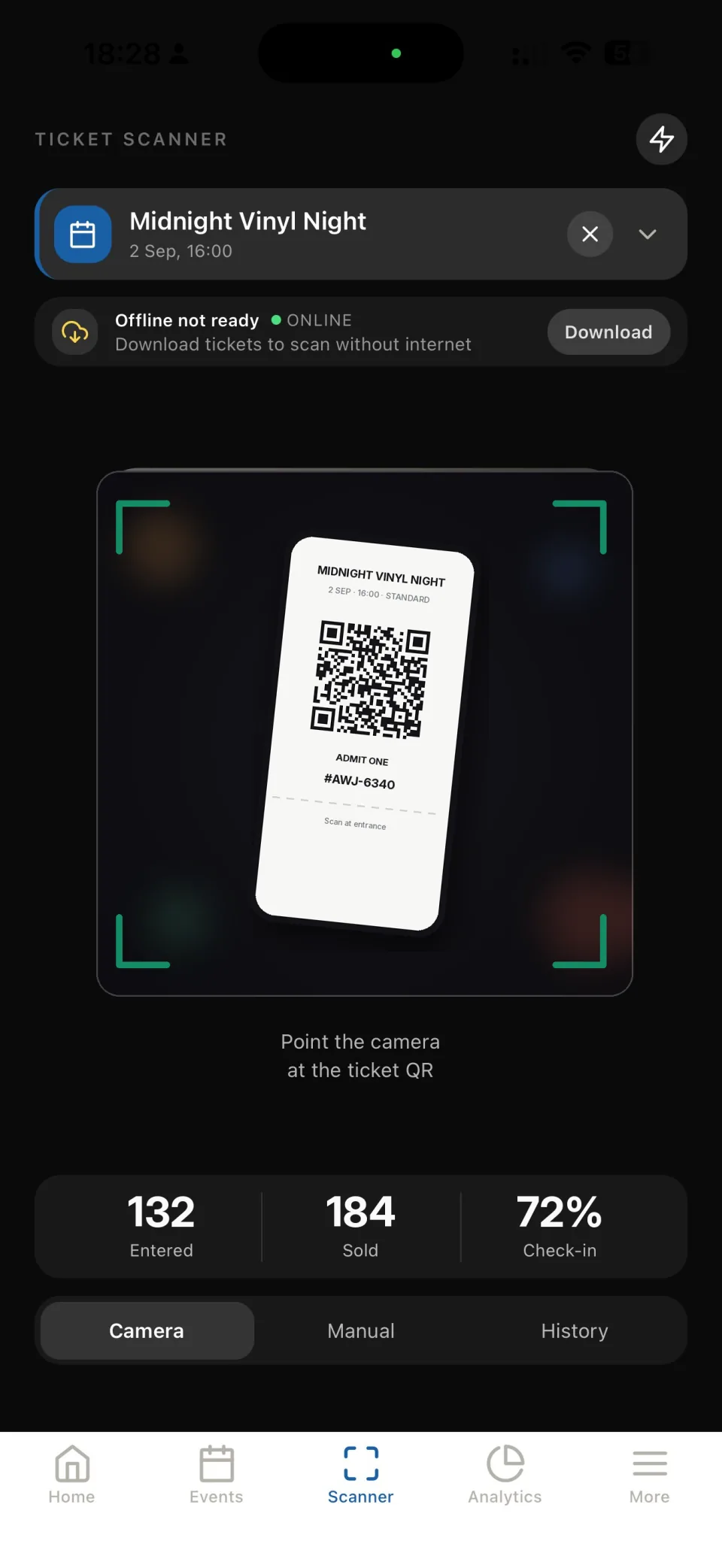
Complete a registration for your test event. Verify the order status and open the issued ticket.
Check the event name, date and category. Confirm the QR code is visible at a readable size on a phone.
Open check-in in the app, select the event and scan the test ticket. Read the result before letting a guest through.
Scan the same test ticket again and confirm the app displays its used status. Train staff to inspect this result rather than approving every scan.
Increase screen brightness, show the complete code and avoid glare. Check camera permission on the scanner device.
Check the selected event and order status. Escalate exceptions to the responsible organizer instead of bypassing the result.
It can encode text or a link, but does not by itself manage ticket validity and admission status. For controlled entry, use tickets connected to the event’s ticketing system.
Yes. The complete QR code should be visible with enough brightness for the scanner. Test typical devices at the venue.
Do not publish valid ticket codes in social posts or instructions. Use test tickets for demonstrations and staff training.
开始工作
直接在浏览器中访问平台的全部功能——无需安装,任何计算机均可使用。