Organizer notifications are now in the language of the cabinet
Notifications in the personal cabinet, via email, push and in Telegram are now displayed in the language selected in the interface.
Read article evenda.
Available Language Versions
РусскийGeneral siteEnglishSrpskiGeneral siteDeutschGeneral siteTürkçeGeneral siteქართულიGeneral siteEspañolGeneral siteहिन्दीGeneral siteবাংলাGeneral sitePortuguêsGeneral siteTiếng ViệtGeneral siteFrançaisGeneral siteItalianoGeneral site한국어General siteالعربيةGeneral siteBahasa IndonesiaGeneral site日本語General site中文General siteአማርኛ (Amarəñña)General siteঅসমীয়া (Ôxômiya)General siteAzərbaycan diliGeneral siteБългарски (Bǎlgarski)General siteČeštinaGeneral siteΕλληνικά (Elliniká)General siteEesti keelGeneral siteفارسی (Fārsī)General siteFulfuldeGeneral siteગુજરાતી (Gujarātī)General siteHausaGeneral siteMagyarGeneral siteIgboGeneral siteBasa JawaGeneral siteಕನ್ನಡ (Kannaḍa)General siteLatviešu valodaGeneral siteMalagasyGeneral siteBahasa MelayuGeneral siteമലയാളം (Malayāḷam)General siteमराठी (Marāṭhī)General siteမြန်မာဘာသာ (Myanma Bhasa)General siteनेपाली (Nepālī)General siteNederlandsGeneral siteAfaan OromooGeneral siteଓଡ଼ିଆ (Oṛiā)General siteپښتو (Paṣ̌to)General sitePolskiGeneral siteRomânăGeneral siteسنڌي (Sindhī)General siteසිංහල (Siṁhala)General siteSlovenčinaGeneral siteChiShonaGeneral siteBasa SundaGeneral siteதமிழ் (Tamiḻ)General siteWikang TagalogGeneral siteతెలుగు (Telugu)General siteภาษาไทย (Phasa Thai)General siteاردو (Urdū)General siteOʻzbek tiliGeneral siteYorùbáGeneral siteVahcuenghGeneral siteHrvatskiGeneral siteDanishGeneral siteFinnishGeneral siteSwedishGeneral siteEvenda is an app and web cabinet for event organizers in the United Kingdom — not a ticket-selling service or a marketplace. Build event pages, open registration, check tickets by QR, and take payments into your own payment account, directly.
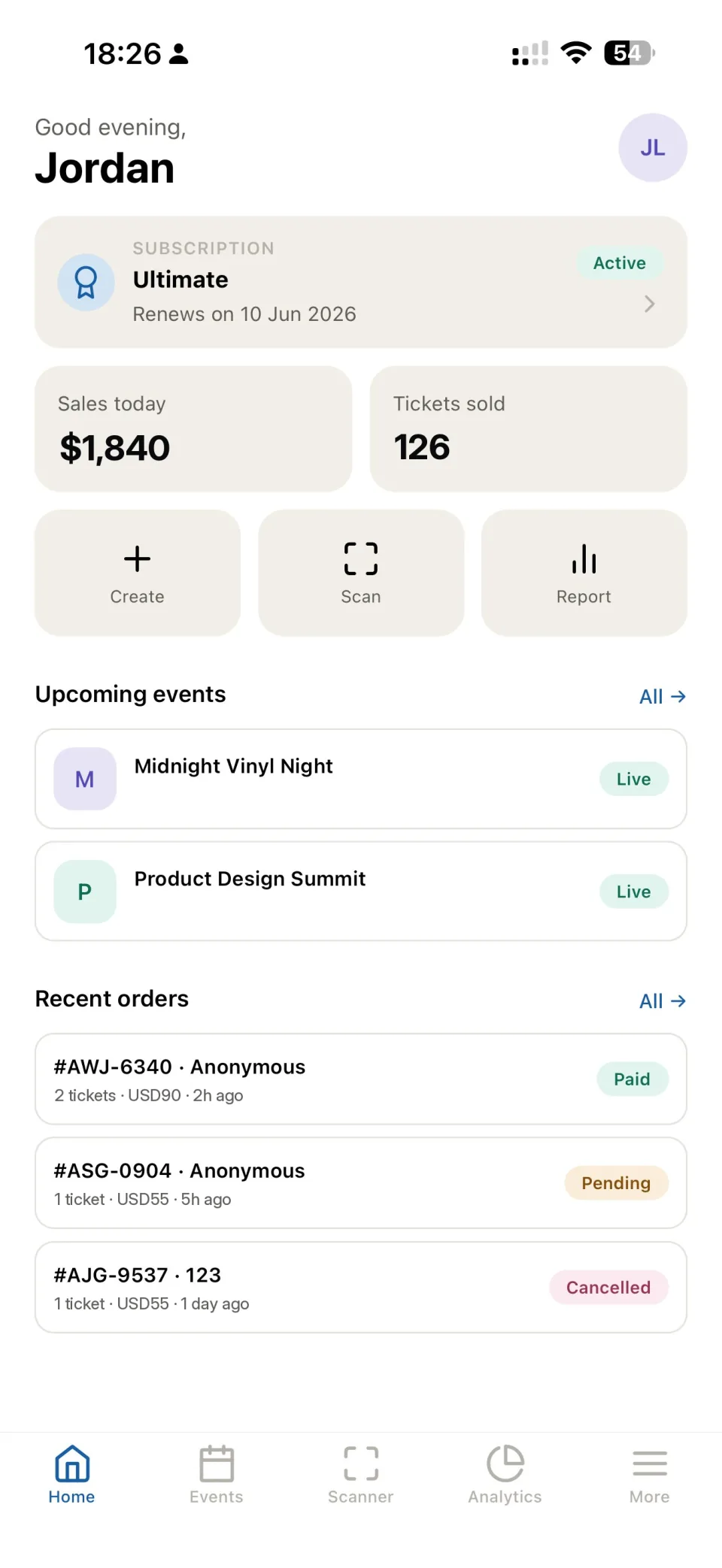
Unlike competitors, we don't take a percentage of your turnover. You only pay a fixed subscription for using the platform.
The evenda.io platform is a next-generation ticketing service designed specifically for event organizers in the United Kingdom. We understand the challenges organizers face: from ticket sales and event promotion to entry control and analytics. Evenda.io simplifies these processes and provides all necessary tools in one place.
Evenda.io offers an intuitive interface in most languages, allowing you to easily create events, configure ticket categories, promotions, and pricing. Sales are tracked in real-time.
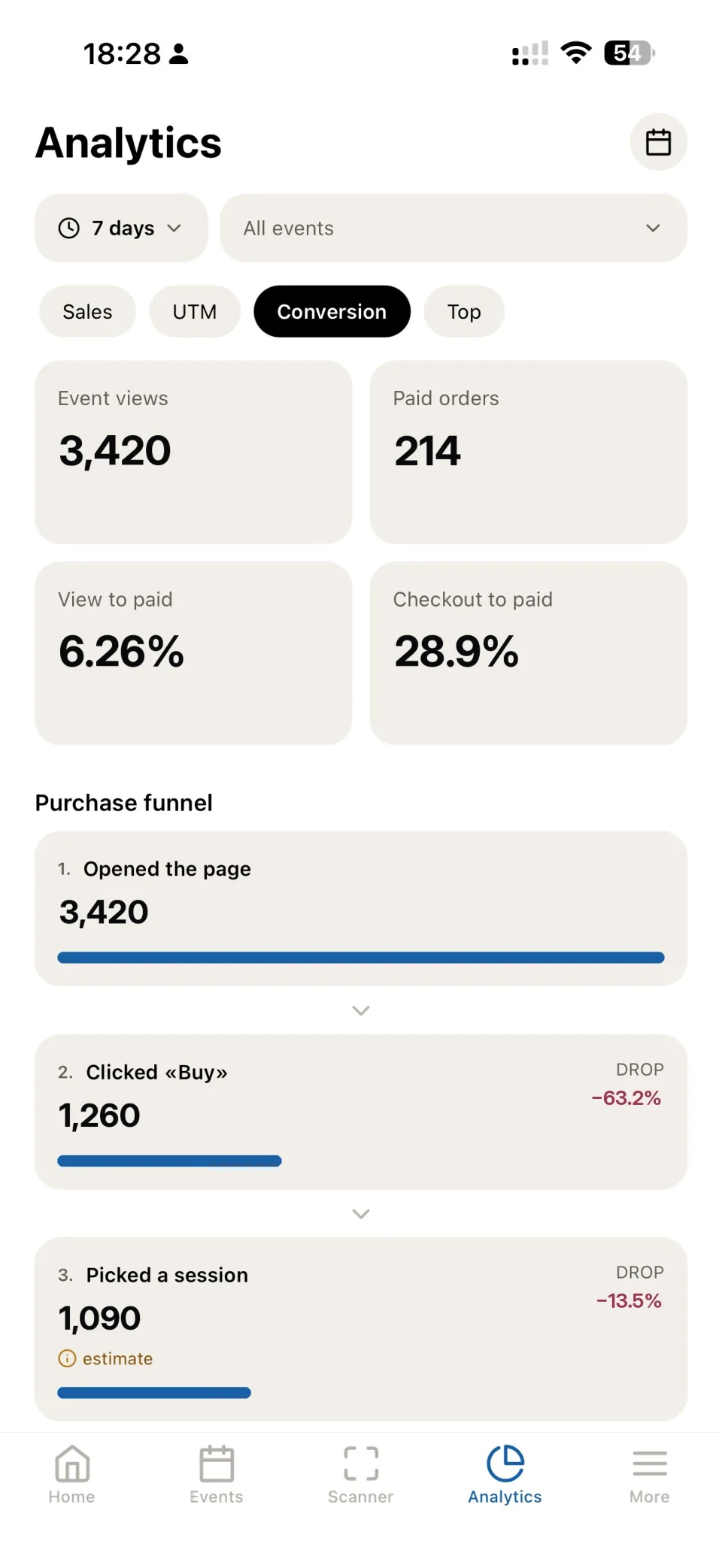
The platform supports integration with analytics services and traffic tracking tools. You get reports on sales, buyer behavior, and advertising campaign effectiveness.
The evenda.io team provides prompt support at all stages of working with the platform. Our technical support quickly responds to questions and helps solve any technical problems.
Manage your events in the United Kingdom from the web dashboard or the Evenda apps for iOS and Android. Ticket sales, registration and QR check-in are always at hand.
Unlike aggregator marketplaces, we don't take a percentage of your sales. You pay a fixed subscription for the software, and ticket revenue goes directly to your company's account through the provider you connect.
The price doesn't depend on your turnover — you pay a fixed amount for the platform.
Connect your own Stripe or another provider. Payments run through your company and are credited directly to you.
Evenda stays the software vendor and technical partner. Buyers' funds never pass through us.
Evenda is a software vendor and technical partner. Your company is the seller of record and the payee; buyers' funds never pass through the platform.
A web cabinet in the browser, mobile apps for iOS and Android, and desktop apps for macOS and Windows — your data syncs automatically.
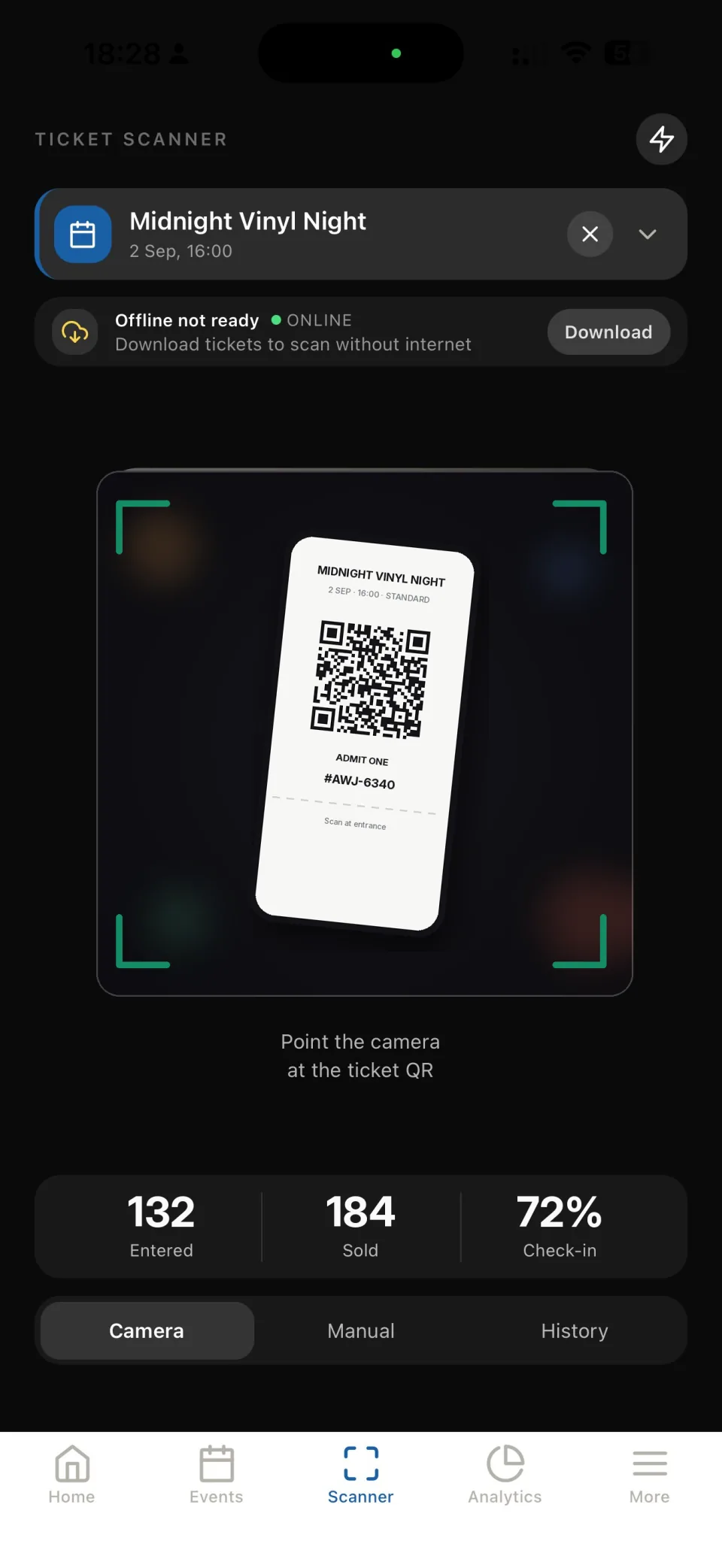
Dashboard, sales, event creation and a ticket scanner at the door — all in your pocket. Works online and offline.
A full organizer cabinet on macOS and Windows for desk work.
Full access to the platform right in the browser — no install, on any computer.
Open web cabinetFrom creating an event to door check-in and analytics — everything in one app.

We continually develop Evenda by adding new features and improving tools for event organizers.
Notifications in the personal cabinet, via email, push and in Telegram are now displayed in the language selected in the interface.
Read articleEvenda helps to complete the event setup on time, prepare for its implementation, and monitor sales.
Read articleEvenda has expanded its set of connected payment systems for various regions, including card, bank, QR, and mobile payments.
Read articleTools that will help you automate sales and control.
Landing page builder. Upload logo, cover, add description. Everything looks professional and works on any device.
Free app for iOS and Android. Instant ticket verification even without internet.
Money goes directly to your account. Support for Apple Pay, Google Pay and local payment methods.
Track sales in real time. Export buyer data, financial reporting for each legal entity separately.
We connect payment processing to your account in systems:
















Available payment methods for your customers:













Tools for sales growth and accurate audience analysis in a single interface.
Complete UTM tag analytics. Find out which advertising channel brings real sales, not just clicks. Optimize budget based on accurate data.
Flexible discount system to increase sales efficiency. Set up percentage or fixed discounts, usage limits and validity periods.
Brief answers to popular questions.