
Features
Ticket check-in app for event entry
The entrance ticket checking application is a mobile solution for organizers and staff that allows real-time control of participant entry to the event.
0% is Evenda's commission on ticket sales. Subscription charges and your payment provider's fees are separate.
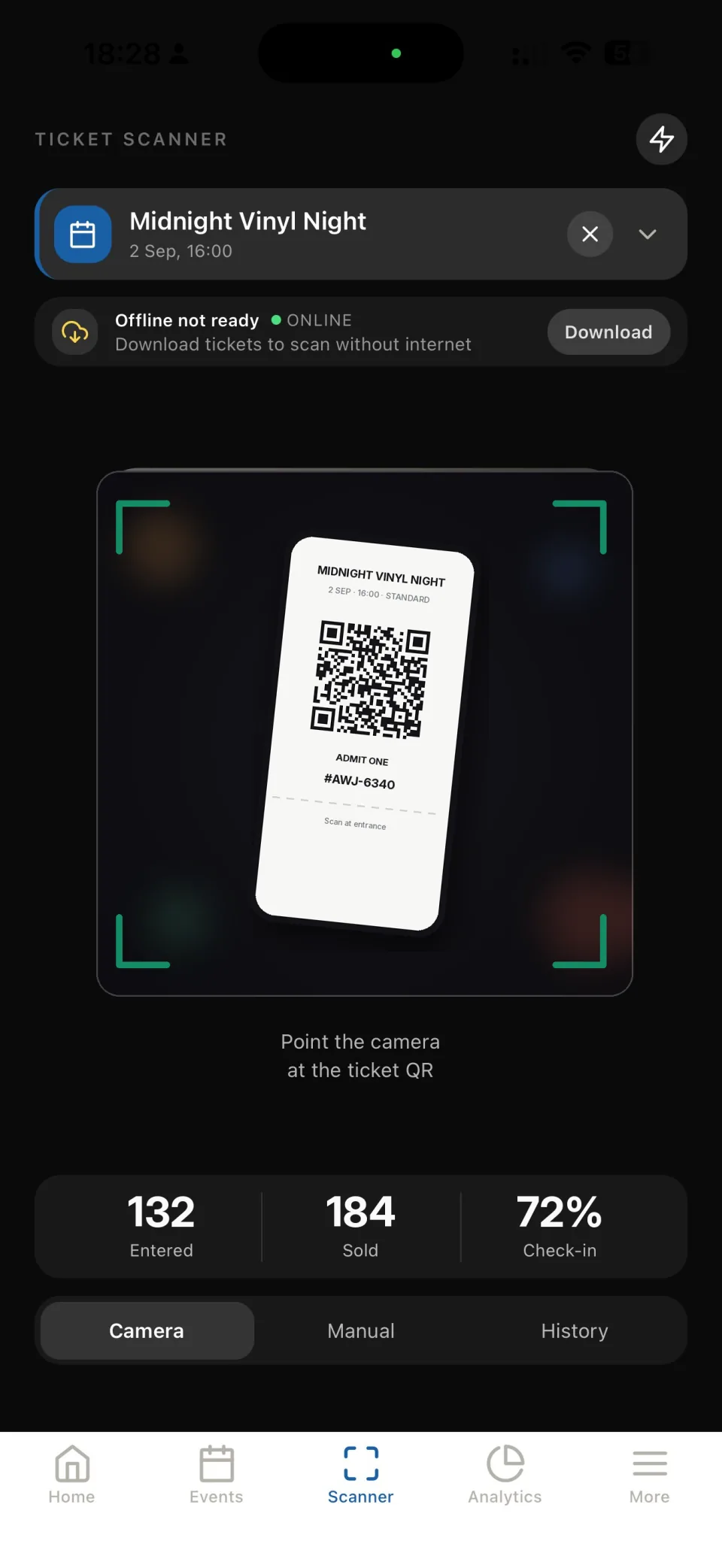
How check-in works at the event
The access verification process is as simple as possible:
- The organizer assigns staff for entry control
- Staff log into the mobile application
- The participant presents the access code
- The application checks the status in the system
- Entry is confirmed or denied
All checks are performed in real time.
Teamwork at the entrance
For events with multiple entry points, the application supports team operations:
- simultaneous access validation by multiple staff members
- data synchronization between devices
- protection against code reuse
- management of staff access
The number of staff is determined by the conditions of the selected plan.
Real-time entry control
The organizer has access to up-to-date information about the event's progress:
- the number of participants who have entered
- current venue load
- Access check history
- final data after the event
This helps make decisions right during the event.
Security and access protection
The application for ticket validation at the entrance provides:
- real-time access status check
- anti-re-entry protection
- employee rights segregation
- staff activity log
All data is processed within a unified event management system.
Frequently Asked Questions
What is a ticket checking application at the entrance?
A ticket checking application at the entrance is a mobile application for event staff that is used to verify participant access at the entrance and control attendance in real time.
What events is the application suitable for?
The application is suitable for concerts, shows, master classes, lectures, business events, sports events, and closed events by registration.
Is special equipment needed for access checks?
No. A smartphone with the installed mobile application for ticket checking at the entrance is sufficient.
How is access checked at the entrance?
The employee opens the application, the participant presents the access code, the system checks its status and displays the verification result in real time.
Can multiple employees be connected for entry checks?
Yes. The application supports simultaneous operation of multiple employees at the entrance. Access management is done through the organizer's personal account.
How is re-entry prevented?
After verification, access is marked as used. Upon a repeated entry attempt, the system will immediately display the corresponding status.
Is internet required for the application to work?
Yes. The application operates in real-time mode and requires an internet connection to check access status.
Is it possible to track attendance during the event?
Yes. The organizer sees up-to-date data on the number of participants who have entered and the venue's load right during the event.
Is there a history of access checks?
Yes. The system keeps a history of checks, allowing for analysis of entry after the event is over.
Can the application be used for free events?
Yes. The application is suitable for both paid events and free events with registration.
Can access for employees be restricted?
Yes. Employee access is configured by roles and permissions depending on the selected plan.
Does the application integrate with other platform features?
Yes. The ticket checking application at the entrance is integrated with event pages, participant registration, and the event management system.
Is the application suitable for large events?
Yes. The application is designed to work with events of various scales and allows for entry control during large flows of participants.
Does the application operate under the organizer's brand?
Yes. The application is used within the organizer's system and does not contain third-party advertising.
Do participants need to install the application?
No. The application is intended only for staff; participants do not need to install anything.
Get started
Your next event starts here.
Start in your browser. No installation needed.